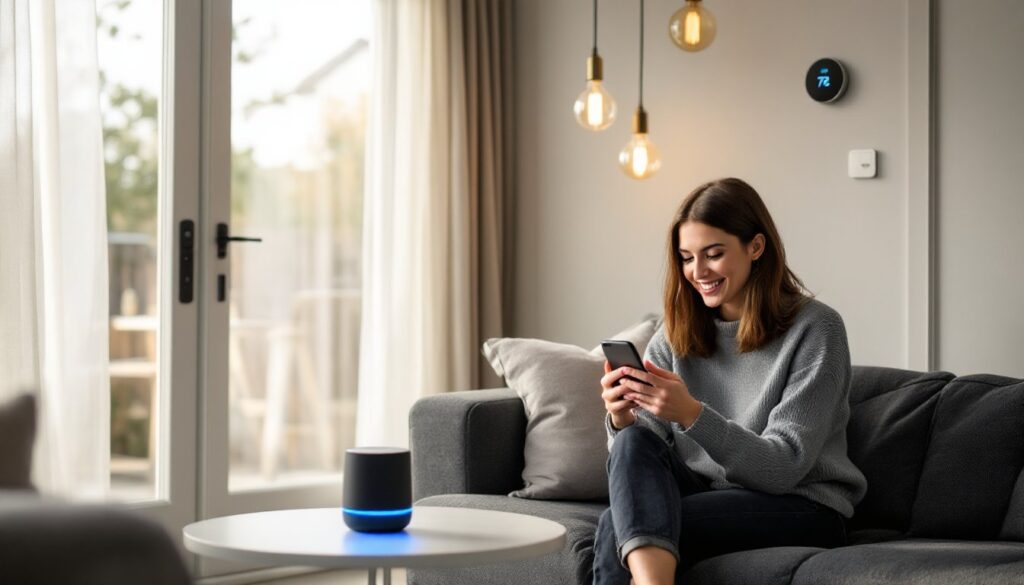
Home automation isn’t rocket science anymore, it’s a series of practical upgrades that make daily living smoother and more efficient. Whether it’s dimming lights without leaving the couch or setting the thermostat from your phone, smart devices have moved from luxury to mainstream. The best part? You don’t need a computer science degree or a massive budget to get started. With a mix of DIY-friendly gear and thoughtful planning, most homeowners can build a connected home that actually works for their routine. Here’s how to approach automation projects that deliver real convenience without the complexity.
Table of Contents
ToggleKey Takeaways
- Nice home automation combines reliable, user-friendly devices that integrate through common protocols like Wi-Fi, Zigbee, and Z-Wave to create a cohesive system without complexity.
- Start with budget-friendly projects like smart bulbs and voice-controlled speakers ($30–$100), then upgrade to mid-range systems like smart thermostats and locks that deliver significant energy savings and convenience.
- Create simple, focused automation routines using if-this-then-that logic—one routine per use case (morning, bedtime, away, arriving)—to avoid troubleshooting nightmares and ensure reliable daily operation.
- Verify device compatibility before purchasing, upgrade to a mesh Wi-Fi system for 30+ connected devices, and set quarterly firmware updates to prevent connectivity issues and security vulnerabilities.
- Avoid common mistakes like mixing smart bulbs with smart switches on the same circuit, overcomplicating routines, neglecting physical backups for smart locks, and underestimating installation time for electrical work.
- Test all routines for a week before committing, and hire a licensed electrician for complex wiring projects to ensure safety and code compliance.
What Is Nice Home Automation and Why It Matters
Home automation refers to devices and systems that control lighting, climate, security, and entertainment through centralized hubs, apps, or voice commands. “Nice” automation means equipment that’s reliable, user-friendly, and scalable, gear that solves specific problems without requiring constant troubleshooting.
The practical benefits are straightforward. Automated lighting cuts energy waste by turning off unused fixtures. Smart thermostats learn your schedule and adjust heating or cooling cycles, often reducing HVAC runtime by 10-20%. Motion-sensing cameras and smart locks add security layers without monthly monitoring contracts.
What makes automation “nice” is integration. Devices that communicate through common protocols, Wi-Fi, Zigbee, Z-Wave, or Matter, work together smoothly. A single trigger (like unlocking the front door) can activate multiple actions: lights turn on, the thermostat adjusts, and the security system disarms. That interconnectedness is the difference between owning smart gadgets and running an automated home.
Before diving in, consider your existing infrastructure. Most automation devices need reliable Wi-Fi coverage throughout the house. Older homes with thick plaster walls or large floor plans may need mesh router systems or range extenders. Check your electrical panel, too, some smart devices (like motorized shades or wired security cameras) draw constant power and may require dedicated circuits if you’re adding several at once.
Budget-Friendly Home Automation Projects to Start With
Smart Lighting Solutions for Every Room
Smart bulbs are the gateway project for most DIYers. They screw into standard E26 sockets (the common medium base) and connect via Wi-Fi or Bluetooth. Popular models from brands like Philips Hue, LIFX, or Wyze let users adjust brightness, color temperature, and scheduling through a smartphone app. No rewiring, no electrician, just swap the bulb.
For whole-room control, consider smart switches instead. These replace existing wall switches and control all fixtures on that circuit. Installation requires basic electrical work: turning off the breaker, removing the old switch, and connecting the new one to the line, load, neutral, and ground wires. Most newer homes (post-1980s) have neutral wires in switch boxes: older homes often don’t, which limits compatible models. If you’re unsure, hire an electrician or choose battery-powered smart switches that mount over existing hardware.
Dimmer switches add another layer of control. Smart dimmers like Lutron Caséta or Leviton models allow remote dimming and integrate with voice assistants. They’re ideal for living rooms, bedrooms, and dining areas where lighting mood matters. Just confirm the switch is rated for your bulb type, LED-compatible dimmers prevent flickering and buzzing that plague older dimmer circuits.
One heads-up: mixing smart bulbs with smart switches can cause conflicts. If a smart switch cuts power to a smart bulb, the bulb goes offline and can’t respond to app commands. Pick one approach per circuit, either smart bulbs with dumb switches (left always on) or dumb bulbs with smart switches.
Voice-Controlled Assistants and Smart Speakers
Voice assistants, Amazon Alexa, Google Assistant, or Apple HomeKit (via HomePod or iPhone), serve as the command center for automation routines. A basic smart speaker costs $30-$100 and controls compatible lights, thermostats, locks, and plugs with simple voice commands.
Placement matters. Put speakers in high-traffic areas: kitchen counters, living rooms, or bedrooms. Avoid bathrooms or garages where moisture or temperature swings can damage electronics. For whole-home coverage, budget models like the Echo Dot or Nest Mini work fine in secondary rooms: save the higher-quality speakers for spaces where you actually listen to music.
Smart speakers also double as intercom systems. Drop-in features let you broadcast messages to other rooms, handy for calling kids to dinner or checking in without yelling up the stairs. Some models include Zigbee hubs (like the 4th-gen Echo), eliminating the need for separate bridge devices when adding Zigbee-compatible bulbs or sensors.
Privacy is a common concern. Most assistants have physical mute buttons that disable the microphone. If you’re wary, place speakers away from sensitive conversations or simply unplug them when not in use. The trade-off is convenience versus control, decide what fits your household.
Mid-Range Automation Upgrades Worth the Investment
Once basic lighting and voice control are dialed in, mid-range projects offer deeper integration and energy savings.
Smart thermostats like the Nest Learning Thermostat or Ecobee SmartThermostat replace standard HVAC controls and learn heating/cooling preferences over time. Installation is straightforward if your existing thermostat uses a C-wire (common wire) for continuous power. Most systems installed after 2000 include one. If yours doesn’t, you can run a new wire from the furnace or use a C-wire adapter kit (often included with the thermostat). Turn off power at the breaker before removing the old unit, HVAC wiring is low-voltage (24V), but safety first.
Label each wire as you disconnect it (R, W, Y, G, C) using the stickers provided. Attach wires to the corresponding terminals on the new thermostat, mount the base plate (use a level, it’s more obvious than you’d think if it’s crooked), and snap on the display. Power up and follow the app setup. Most smart thermostats walk you through system testing to confirm wiring is correct.
Smart locks eliminate the need for physical keys and allow remote access for guests or service providers. Models like the Schlage Encode or Yale Assure install on standard 2-1/8″ door preps (the hole drilled for the lock body). Remove the old deadbolt, insert the new lock body, and attach the interior assembly with screws. Most models run on AA batteries and last 6-12 months before replacement.
Check door alignment before installing. If the door sags or the strike plate isn’t flush, motorized locks will struggle and drain batteries quickly. Plane the door edge or shim the hinges if needed, proper fit is critical for reliable operation.
Video doorbells combine security and convenience. Hardwired models like the Ring Video Doorbell Pro tap into existing doorbell wiring (16-24V AC transformers). Wireless models run on rechargeable batteries but require removal for charging every few months. Installation involves mounting the bracket, connecting wires (for hardwired versions), and securing the faceplate. Angle the camera to capture faces, not just the tops of heads, most thieves are between 5’4″ and 6′ tall.
Many automation upgrades integrate through platforms like smart home devices, which centralize control and streamline routines.
Creating Seamless Automation Routines for Daily Living
Routines are the payoff for all the hardware you’ve installed, they turn individual smart devices into a cohesive system.
Start simple. A “Good Morning” routine might trigger at 6:30 a.m., gradually brightening bedroom lights, starting the coffee maker (via a smart plug), and reading the weather forecast aloud. An “Away” routine activates when the smart lock engages, turning off lights, lowering the thermostat, and arming security cameras.
Most automation platforms, Alexa Routines, Google Home Routines, or Apple Shortcuts, use if-this-then-that logic. Define a trigger (time, voice command, device state) and the resulting actions. For example: if the front door unlocks and it’s after sunset, then turn on the entryway and living room lights.
Geofencing adds location-based triggers. When your phone GPS crosses a virtual boundary around your home, routines activate automatically. Arrive home, and the garage door opens, the thermostat adjusts, and interior lights turn on. Leave, and everything reverses. Geofencing works best with a single user or when everyone in the household has the app installed, otherwise, the system can’t tell if someone’s still home.
Motion sensors refine routines further. Place sensors in hallways, bathrooms, or closets to trigger lights only when needed. Pair them with timers, bathroom lights turn on with motion and off after 5 minutes of inactivity. This prevents lights burning all day in rooms people forget about.
Seasonal adjustments matter. Summer routines might delay morning lights (longer daylight hours) and lower AC temps earlier. Winter routines could preheat the house before wake-up time. Set calendar reminders to tweak routines in spring and fall, it’s easy to forget until you’re manually adjusting devices daily.
Test routines for a week before committing. You’ll catch conflicts (two routines fighting over the same device) or timing issues (lights turning on before you’re actually awake). Adjust trigger times, add delays between actions, or split complex routines into smaller ones. Effective automation fades into the background, you shouldn’t think about it.
Common Mistakes to Avoid When Automating Your Home
The biggest mistake is buying incompatible devices. Verify protocol support before purchasing. A Zigbee bulb won’t connect to a Wi-Fi-only hub. Matter-compatible devices offer the broadest compatibility, but the standard is still rolling out, check firmware updates and manufacturer support timelines.
Skipping network upgrades causes headaches. Each smart device adds load to your Wi-Fi router. A household with 30+ connected devices (lights, cameras, thermostats, speakers, appliances) can overwhelm older routers, leading to dropouts and lag. Upgrade to a dual-band or tri-band mesh system if you’re automating multiple rooms. Place mesh nodes centrally and avoid hiding them in closets or behind furniture, signal strength matters.
Ignoring firmware updates leaves devices vulnerable and buggy. Set aside time quarterly to update device firmware through their respective apps. Some platforms auto-update, but many require manual approval. Outdated firmware can cause connectivity issues, security gaps, or incompatibility with newer devices. Homeowners often overlook how to automate routine maintenance tasks, including software updates.
Overcomplicating routines is tempting but impractical. A routine with 15 steps and conditional branches sounds impressive but becomes a troubleshooting nightmare when one device fails. Keep routines focused: one routine per use case (morning, bedtime, leaving, arriving). Simple routines are easier to debug and less prone to failure.
Neglecting physical backups for smart locks is risky. Always keep a physical key hidden off-property (trusted neighbor, lockbox) or install a keypad with a backup code. Batteries die, firmware glitches happen, and internet outages are real. Locking yourself out because the app won’t connect is avoidable.
Another common error is mismatching device load with electrical capacity. Smart plugs are typically rated for 15 amps at 120V (1,800 watts max). Plugging a space heater and a hairdryer into a single smart plug will trip the circuit or damage the plug. Check device wattage (listed on the label or manual) and keep combined loads under 80% of the plug’s rating for safety.
Finally, many DIYers underestimate installation time. Wiring a smart switch takes 15-20 minutes for someone comfortable with electrical work, but add troubleshooting (missing neutral wire, incorrect wiring diagrams) and it can stretch to an hour. Budget extra time for the first few installs, you’ll get faster as you learn your home’s quirks. For complex electrical automation work, hiring a licensed professional prevents code violations and ensures safety. Those planning extensive upgrades should research installation requirements early. Budget considerations matter too, understanding the cost breakdown helps prioritize projects. Additional guidance on smart home planning can clarify next steps for larger installations.